


How to Use a Handheld Ultrasound: A POCUS Beginner's Guide
- 2026-10-19
- 429
- Guangzhou Sonostar Technologies Co., Limited
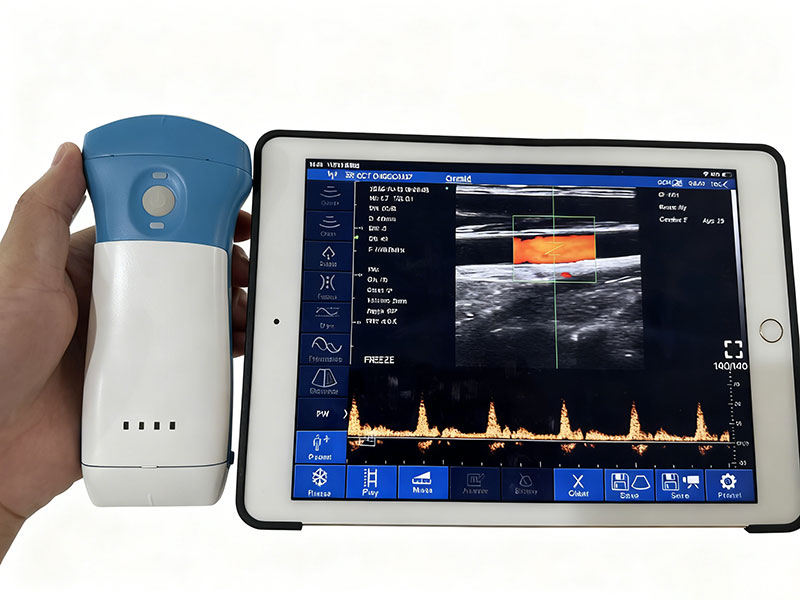
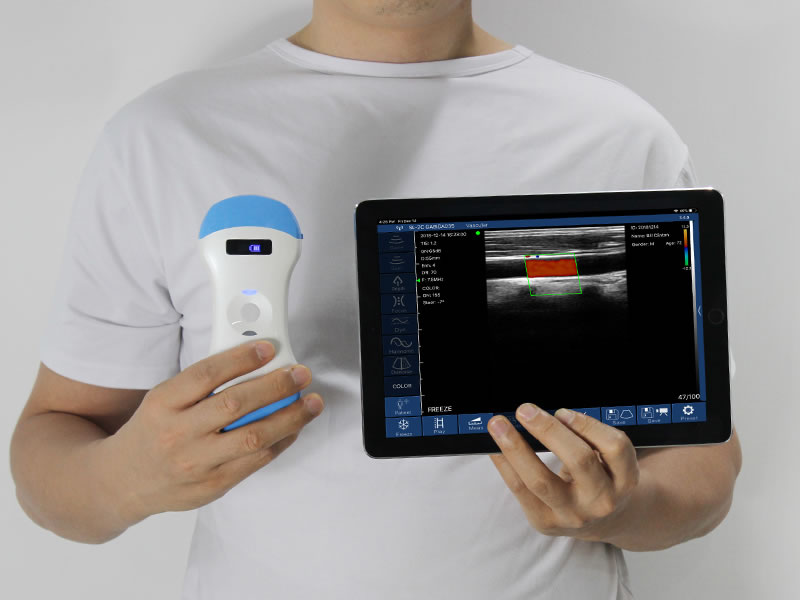
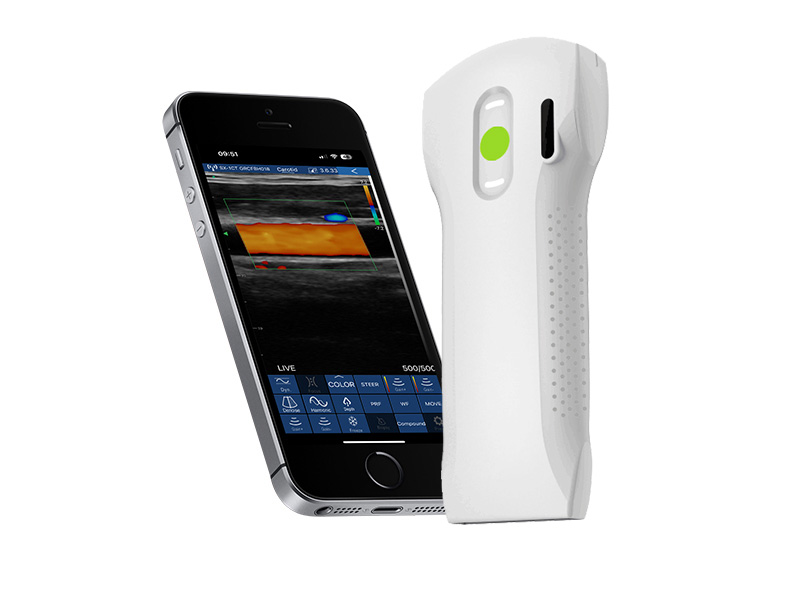
A handheld ultrasound scanner is a probe-sized device that streams images to a phone, tablet, or computer. POCUS (point-of-care ultrasound) is the practice of using ultrasound at the bedside for immediate visualization. This guide covers the operational basics — how to get from "first power-on" to "a usable image." It is a device-operation introduction, not a clinical diagnosis tutorial.
1. What You Need to Start
The wireless probe — choose convex (deep/abdomen), linear (superficial/vascular/MSK), phased array (cardiac/windows), or a 3-in-1 combo. See our types of ultrasound probes guide to pick.
A display device — smartphone, tablet, or PC running the companion app (iOS / Android / Windows).
Coupling gel — required to transmit sound; no air gaps.
Optional — spare battery, a stand/cart, and a wipe for the probe.
2. Power On & Connect
Charge or insert the probe battery; many handheld probes run ~2 hours per charge.
Open the companion app on your phone/tablet/PC.
Connect over Wi-Fi (dual-band 2.4G/5G on some models) or the device's own hotspot.
Select an exam preset (e.g., abdomen, vascular, cardiac) — presets pre-set depth and frequency sensibly.

3. Know the Basic Controls
| Control | What it does | Beginner setting |
|---|---|---|
| Gain | Overall brightness of the image (many devices ~30–105 dB). | Start mid-range, then nudge up/down. |
| Depth | How deep the beam scans. | Keep the target in the lower two-thirds. |
| Frequency | Higher = sharper but shallow; lower = deeper but softer. | Superficial → high; deep → low. |
| Imaging mode | B, B/M, Color, PDI, PW (Doppler). | B-mode first; add Color/PW for flow. |
| Freeze / Store | Pause and save frames/clips. | Save as jpg/MP4, or DICOM for archive. |
4. Probe Handling & Orientation
Gel first: apply a generous layer; air between probe and skin creates a bright artifact.
Marker convention: the probe's index/marker dot should point consistently (commonly toward the patient's right or cephalad) so images read the same way every time.
Match probe to depth: convex for abdomen/deep, linear for superficial/vascular/MSK, phased array for cardiac and small acoustic windows.
Light, even pressure: let the probe sit; pressing hard deforms tissue and distorts the view.
5. Optimize the Image
Set depth so the structure of interest sits in the lower two-thirds of the screen.
Adjust gain until fluid is dark and tissue is gray (not washed-out, not noisy). Many devices render up to 256-level grayscale.
Use harmonics and noise reduction for a cleaner picture when available.
Find the focal zone and place it at the depth of interest.

6. A Region-by-Region Starting Map
| Region | Probe | Typical window |
|---|---|---|
| Abdomen | Convex | Subxiphoid / flank / suprapubic |
| Vascular | Linear | Compression, transverse/longitudinal |
| Cardiac | Phased array | Parasternal / apical |
| MSK / superficial | Linear | Over the structure, minimal pressure |
| Bladder | Convex | Suprapubic |
For deeper dives, see our emergency-medicine POCUS guide and the wireless bladder scanner guide.
7. Common Beginner Mistakes
Too little gel → air artifact (bright band at top).
Gain too high/low → washed-out or noisy image.
Wrong probe for the depth → can't see the target.
Excessive pressure → tissue distortion, collapsed vessels.
Forgetting metadata → patient/date not set before saving.
8. Save, Measure, Share
Most handheld systems let you freeze a frame, store it as jpg/MP4, and export DICOM for the archive. Built-in tools handle distance, area, and obstetric measurements, and many apps support remote consultation by sending images to a phone or tablet.
9. Training & Safety Note
This article is for device-operation education only. Real clinical use of ultrasound requires accredited training and institutional credentialing. A handheld scanner is a visualization aid at the point of care — it does not replace a comprehensive examination, and image interpretation should follow your local clinical protocols.
Frequently Asked Questions
Do I need special training to use a handheld ultrasound?
For operation, the basics in this guide are enough to produce images. For clinical interpretation, accredited POCUS training and credentialing are required — this guide is device education, not medical instruction.
Which probe should a beginner start with?
A convex probe covers the most common deep/abdominal views; a 3-in-1 probe (convex + linear + phased) is the most versatile starting point. See the probe types guide.
Why is my image mostly bright at the top?
That is usually an air gap — add more gel and ensure full contact. Also check that gain is not set too high.
What do gain and depth control?
Gain sets overall brightness; depth sets how far the beam scans. Keep the target in the lower two-thirds and adjust gain until tissue reads gray, not washed-out.
Can I save images for the medical record?
Yes. Handheld systems typically export jpg/MP4 and DICOM, with built-in distance/area measurements for documentation.
What imaging modes will I see?
Common modes are B-mode, B/M, Color, PDI, and PW (Doppler) for visualizing motion and flow. Start in B-mode and add Doppler when assessing vessels or motion.
Ready to try a handheld scanner?
Compare models and probe options. See the 2026 handheld ultrasound guide or explore the 3-in-1 probe, linear probe, and convex probe.
This guide is for device-operation education only and is not medical advice. Clinical use requires accredited training and credentialing per your institution's protocols.







 网站首页
网站首页 产品中心
产品中心 服务支持
服务支持 联系咨询
联系咨询